Datasets on or off
Turn a dataset off to remove it from the catalog, search and agents for everyone, including admins. Queries against it are refused. The sync keeps reading it, so turning it on restores access immediately for people who may see it.
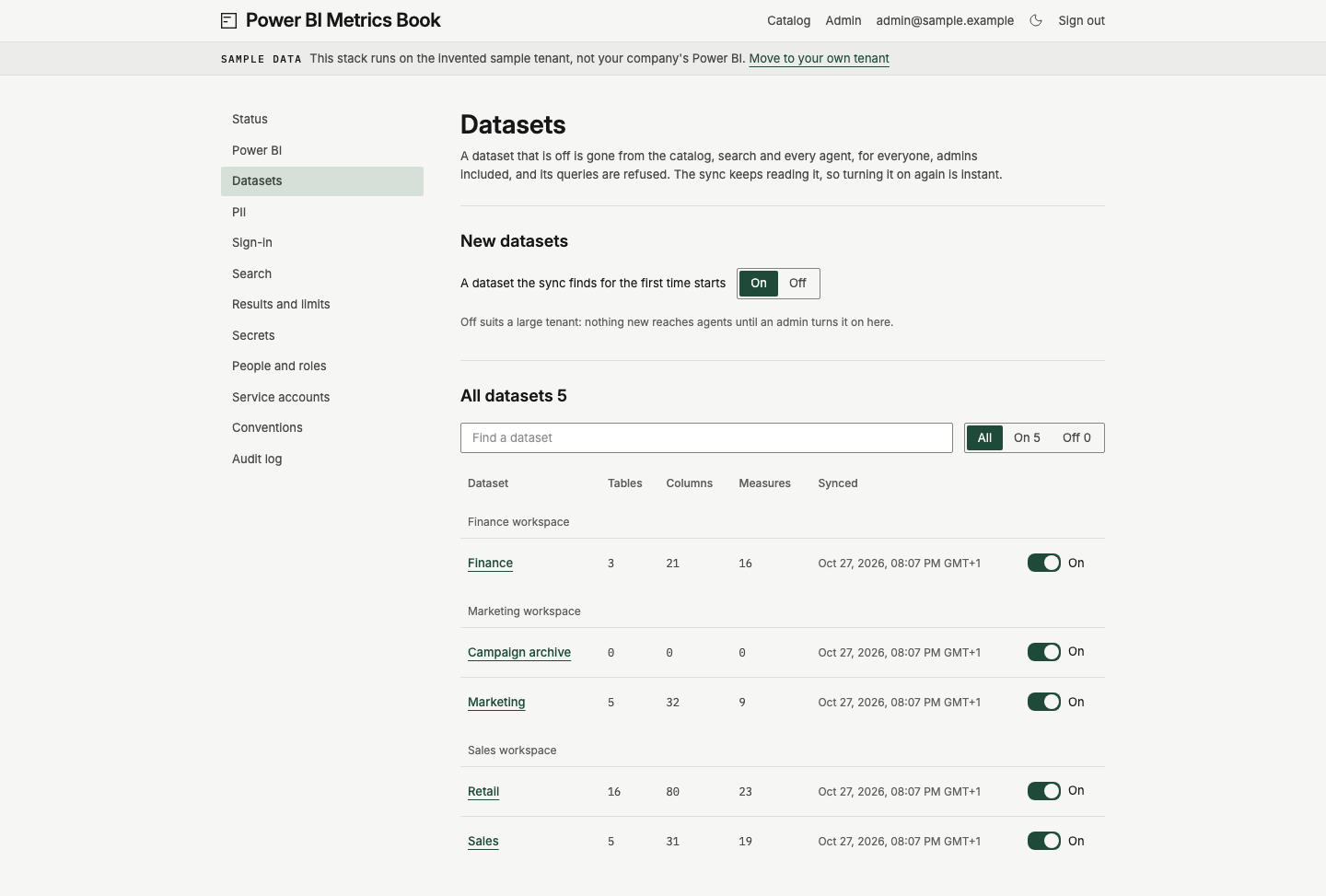
Change a dataset
Section titled “Change a dataset”- Sign in as an admin. Open Admin, then Datasets.
- Under All datasets, use Find a dataset to filter by name. Use All, On or Off to filter by state.
- Find the dataset under its workspace. Check its table, column and measure counts and Synced time.
- Change its switch. On or Off beside the switch shows the new state. The change acts at once, and a message tells you what happened. Choose Undo in that message to reverse it.
This admin list includes datasets beyond your own Power BI reach. It shows names and counts, not query data. An on dataset’s name links to the catalog, where your own access still applies. An off dataset’s name has no link. Search documents are rebuilt after a switch, and old query log entries keep the dataset’s name.
The admin PII page still lists an off dataset’s column names in its suggestions and coverage.
Choose how new datasets start
Section titled “Choose how new datasets start”Under New datasets, choose On or Off after A dataset the sync finds for the first time starts. The change saves immediately. It affects only datasets first found by a later sync. Existing datasets keep their state.
Choose Off if you want to review each new dataset before people and agents use it. Choose On to restore the default. These switches belong to this tenant and are not exported in book.yml.
The workspace filter chooses what the scanner reads. A dataset switch chooses what the product exposes. See What to sync for the equivalent CLI commands and the workspace filter.
Check on the sample tenant
Section titled “Check on the sample tenant”Turn Sales off. The message says it is off, and the row reads Off. Open Catalog and check that Sales is absent from the dataset tree. Return to Admin, Datasets, and turn Sales on. Its name becomes a link again, and it returns to the catalog for people with access.